
Building a Client Portal's Foundation
Designing a structure for hundreds of coverage types, then redesigning the navigation it launched on.
The Situation
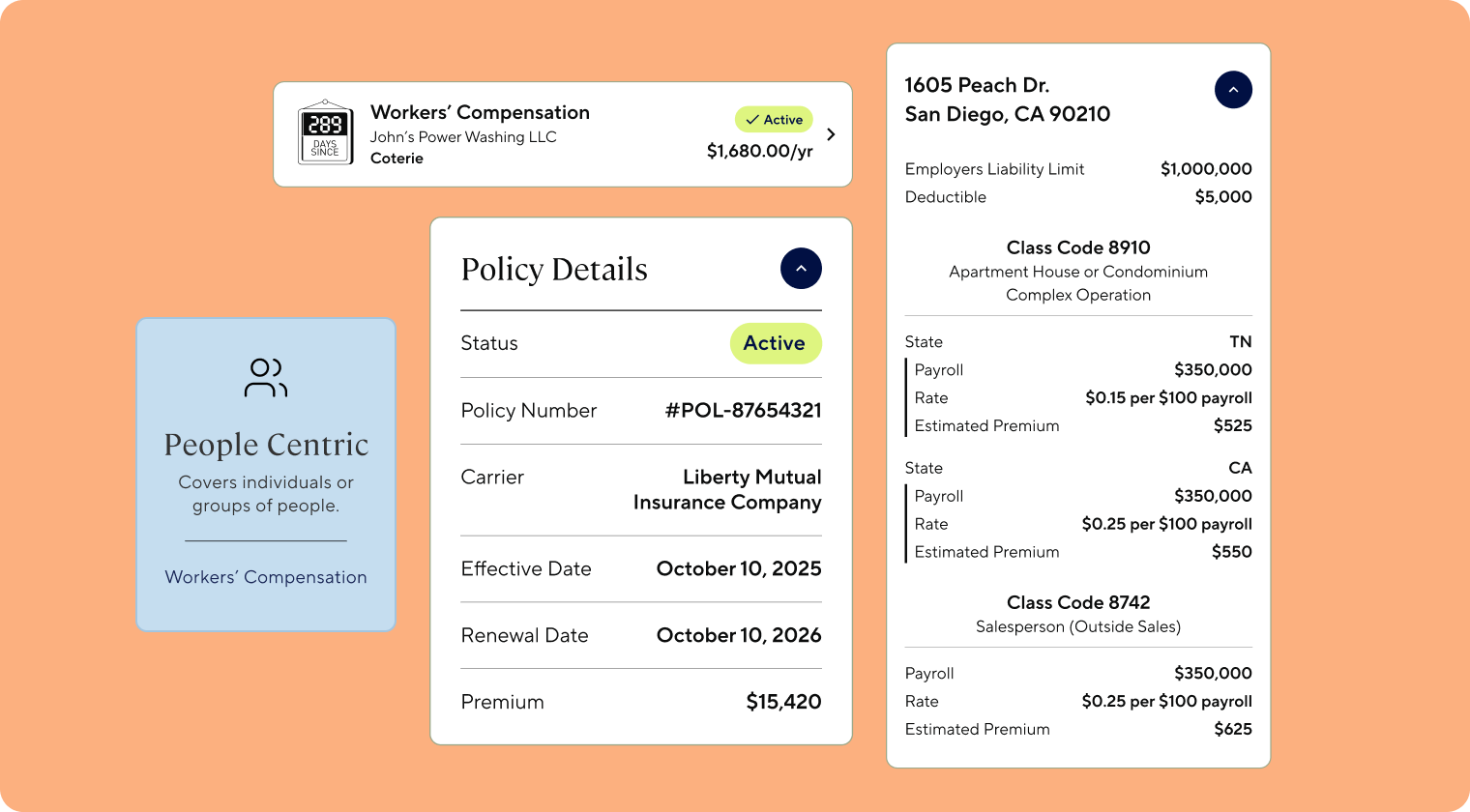
Acrisure had grown by rolling up more than 1,000 businesses, each bringing its own systems, data, and definition of what "client" even meant. The only client-facing option was a third-party tool with mixed adoption. No client, servicer, or business team had ever had one place to see everything a given client held.
Leadership's goal was three-fold:
Clients
Manage everything in one place instead of juggling logins and calls.
Servicers
Spend less time on calls and emails.
The business
Cut the tickets self-service could absorb, and support cross-selling and risk management across a client's accounts.
The Constraint
Acrisure sells hundreds of coverage types, each with its own underlying data: what's insured, what has to be captured, what a client can do about it. A portal couldn't treat each one as its own design problem.
The business also needed something shipped fast, and the only design system available to build from was acrisure.com's own: built for marketing pages, not for the structural weight a servicing portal needed to carry.
Decision One: Policy Archetype Models
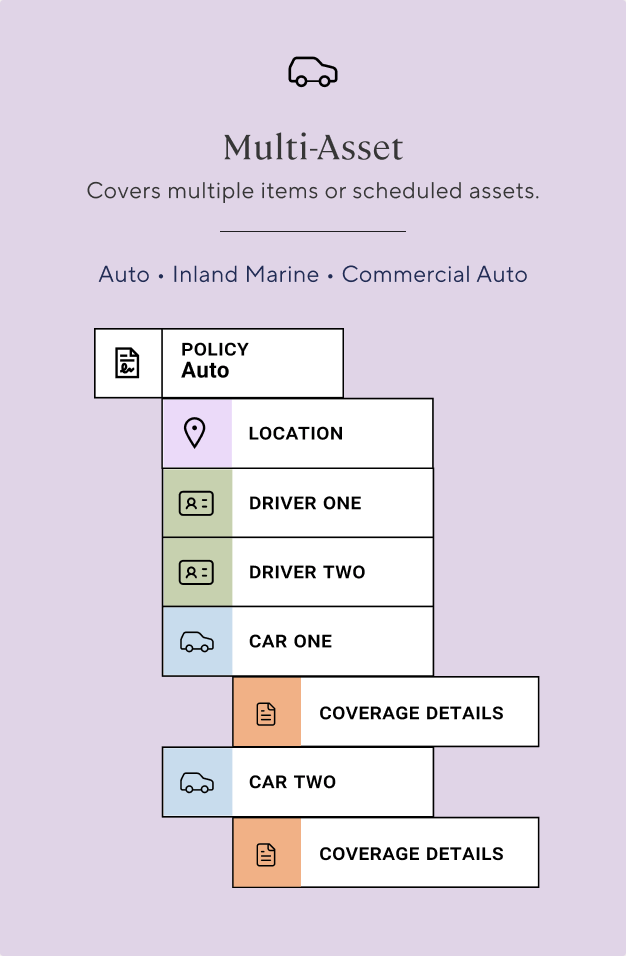
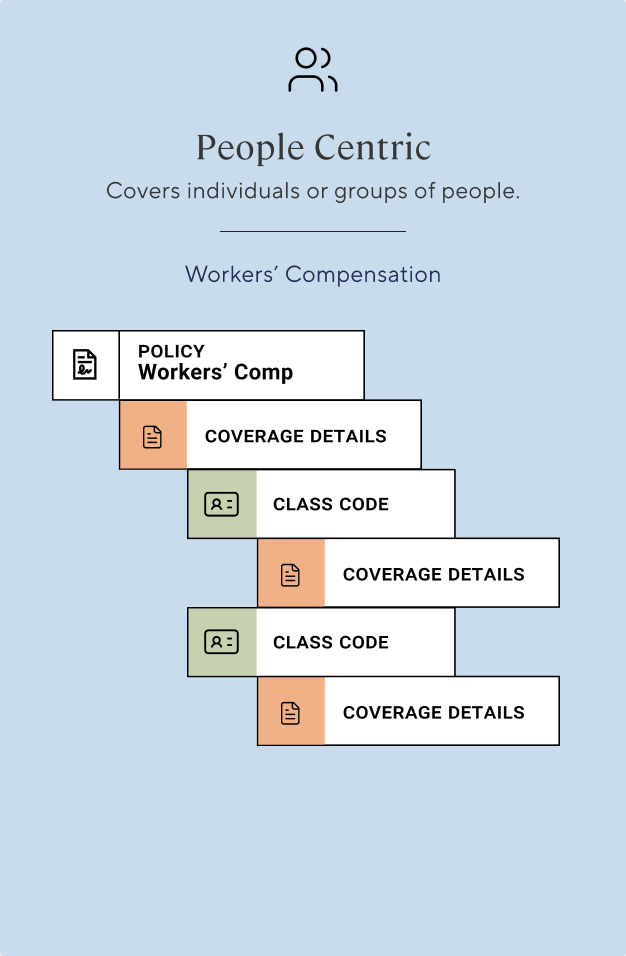
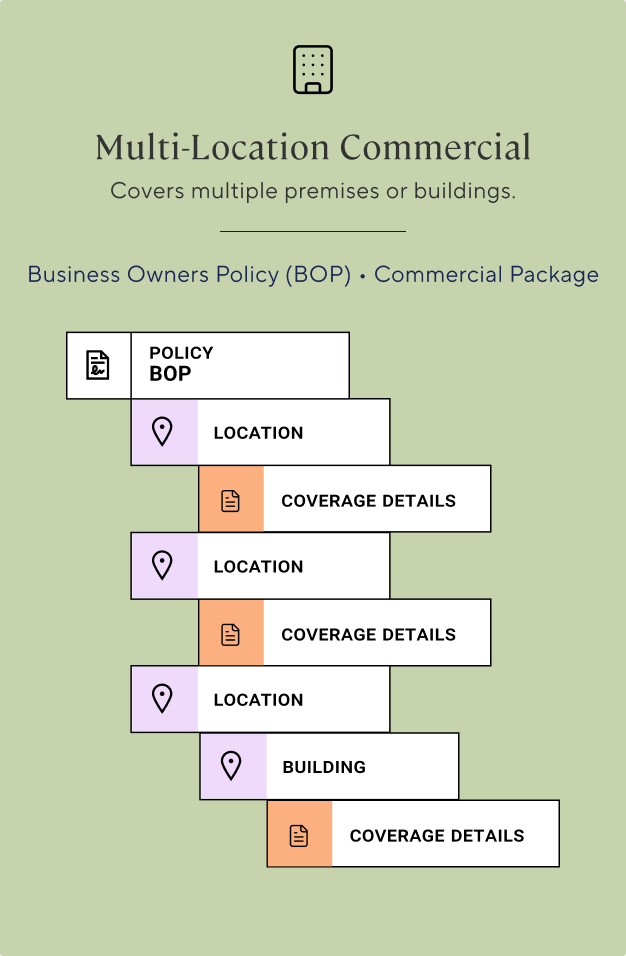
Acrisure's portal needs to show hundreds of distinct policy types, Homeowners, Auto, BOP, Workers' Comp, and more. Designing each one from scratch meant new design work every time a policy type got added.
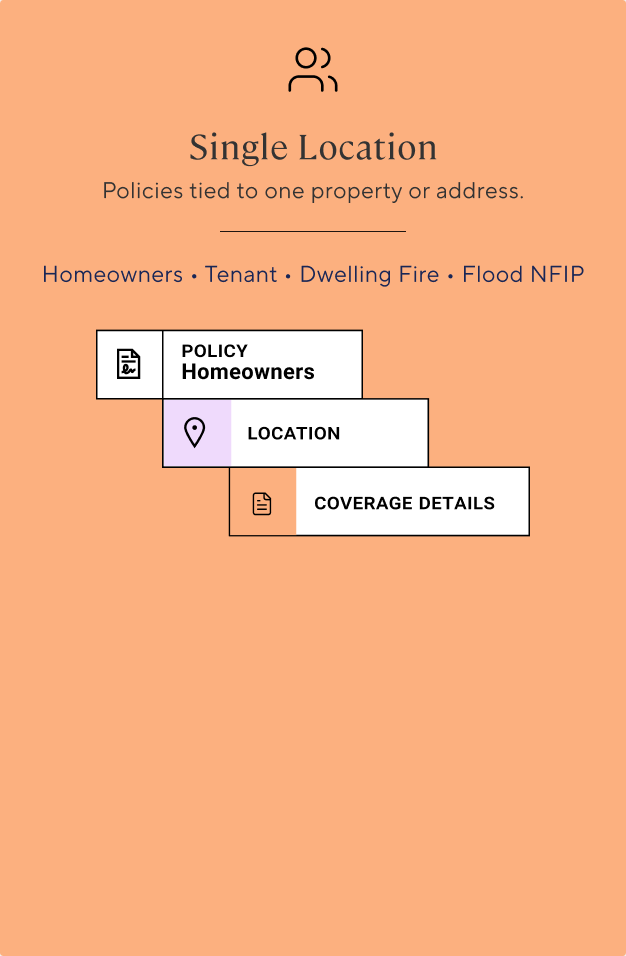
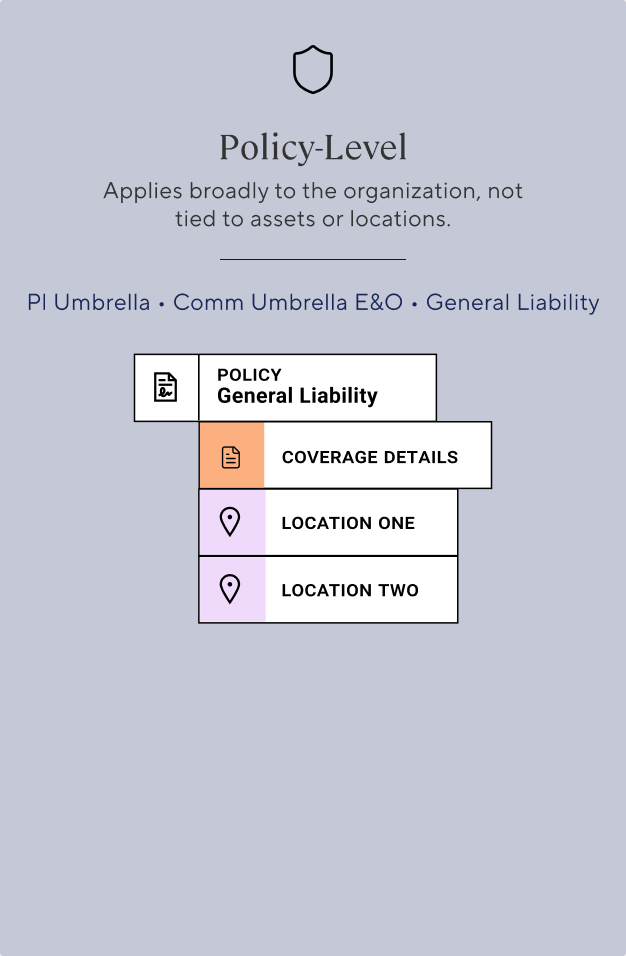
So I built a system instead: coverage breaks down into five structural archetypes based on how it attaches to whatever it covers, one reusable pattern per archetype instead of one-off work per policy type, saving both design and engineering time as new products get added.
Decision Two: Borrowing the Navigation, Then Redesigning It
The tradeoff
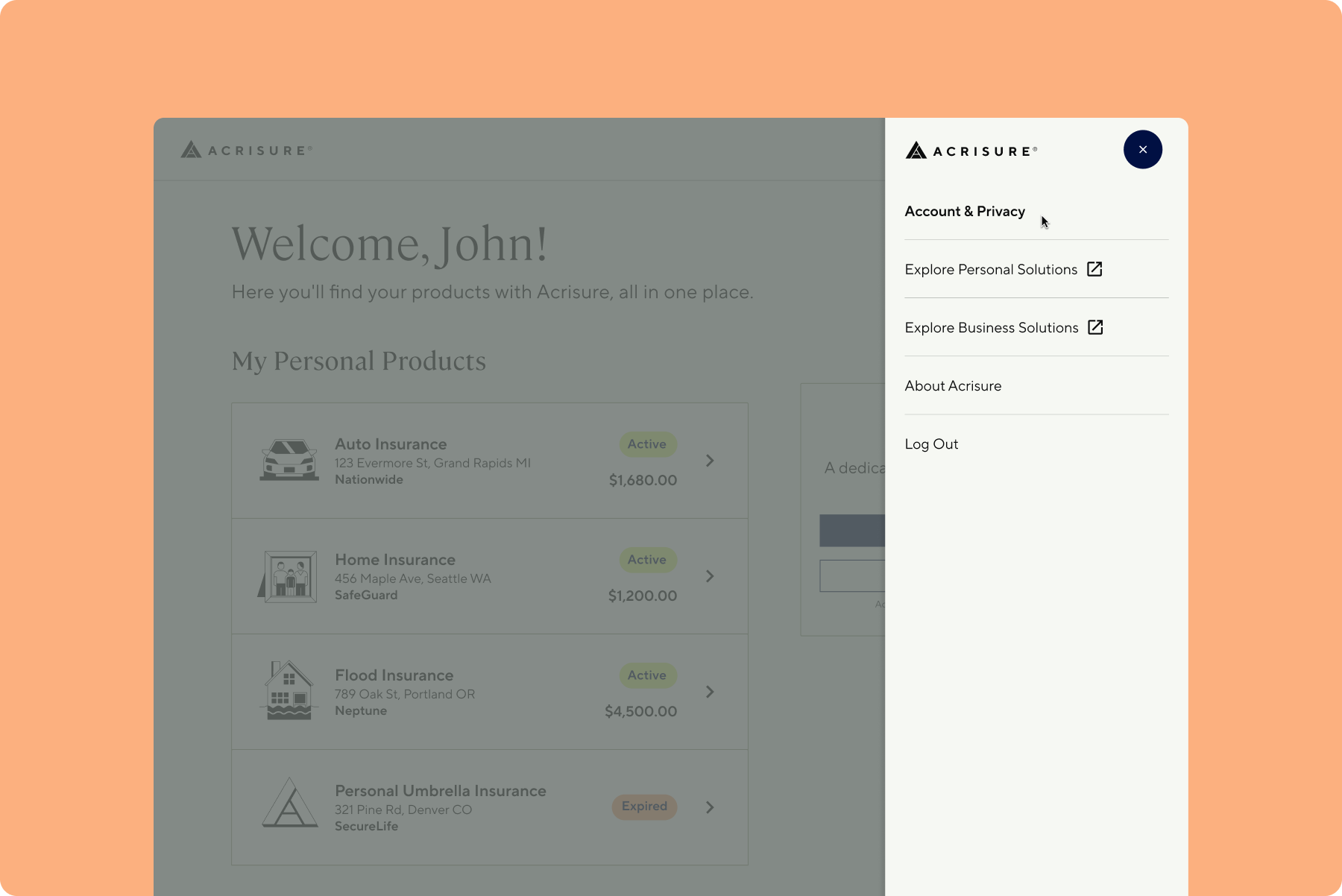
Given the timeline, I launched on Acrisure's existing design system rather than build new navigation infrastructure. My manager and PM agreed with the call at the time, and given the deadline, it was the right one. It just meant the nav wasn't built for what came next.
What broke after launch
Three things surfaced the cost of that tradeoff, close together in time:
- Leadership wanted to vision-cast. Our design manager wanted to imagine where the portal could go next, payroll, mortgages, things we weren't even sure were feasible yet. It became clear fast that the borrowed navigation couldn't hold that kind of ambition, even hypothetically.
- A persona showed up that nobody had planned for. Wealth managers, who manage several clients' accounts instead of their own.
- Product needed things the structure had no place for. A real split between account-level and policy-level documents, and space for self-service tools and risk resources beyond a flat list of policies.
The redesign
I drove the navigation framework, with a second designer pressure-testing my thinking the whole way. I used Claude throughout: competitive reviews of other portals, checking my structure against established UX research, and quickly iterating IA options before landing on the final one.
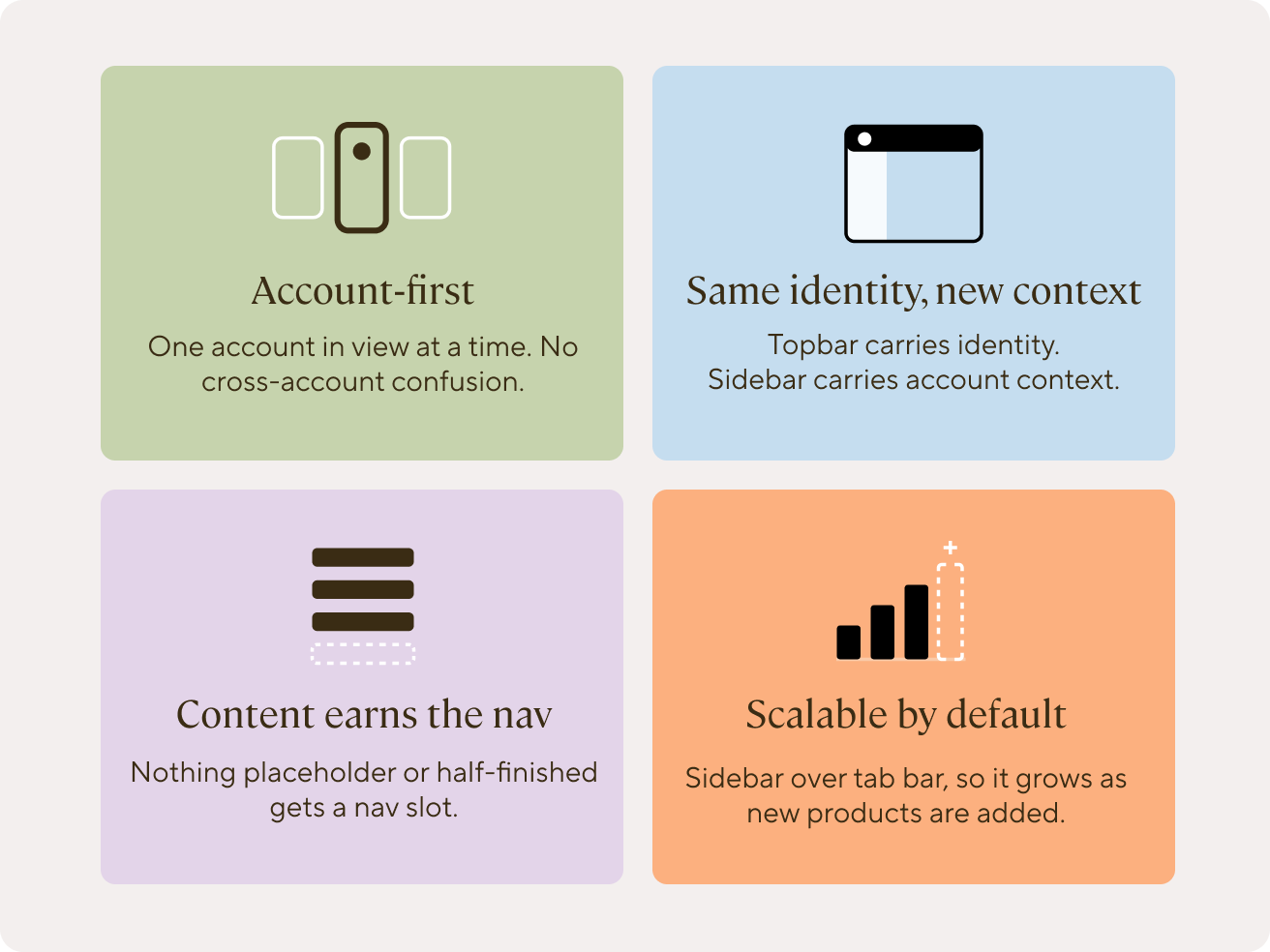
Before designing anything, I got the team aligned on shared language (what we meant by Portal User, Account, Product, and Access level) and set four design principles to hold every decision to.
To test the structure, I used a scenario instead of reasoning about it in the abstract: Marcus Chen, a client juggling three businesses and a personal policy, all logging in on one Monday morning. The wealth manager persona fit the same model, one identity with several accounts underneath it, no new rule needed.
What came out of it: a Portal User level that's always visible, with an account-scoped sidebar underneath.
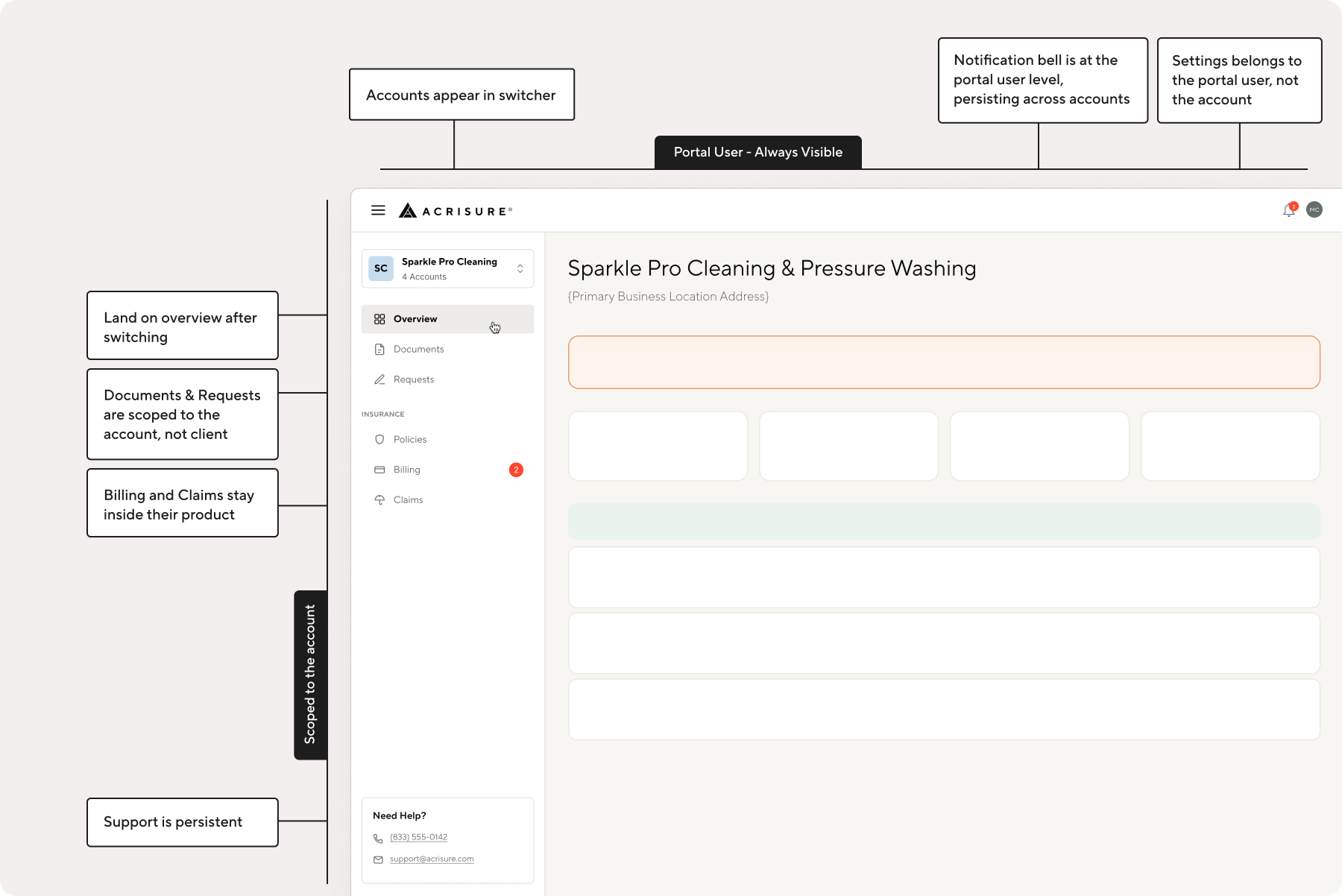
That same structure resolved both open product requests, the document split and the new self-service and risk resources, without needing anything bolted on afterward.
I presented this work at a leadership offsite about where the portal was headed. Afterward, our Head of Product told me directly:
I was so impressed with the way you showed up in our offsite… I was so glad you were able to drive the kinds of conversations that needed to be had.
Head of Product, AcrisureReflection
We launched on the existing design system to hit the deadline, and it got us live on time. I knew the borrowed nav would have limits. Looking back, I'd push back more and make a stronger case for an alternative before we committed. The archetype models held up. Employee Benefits fit into them with no new design work, and the new navigation covered both open product requests. The portal is still rolling out to user groups in stages, so adoption and ticket data aren't in yet.